
Payment Policy
Receive payment
We require customers to pay in advance 100% of the order amount including shipping costs if any.
Payment methods
PayPal:
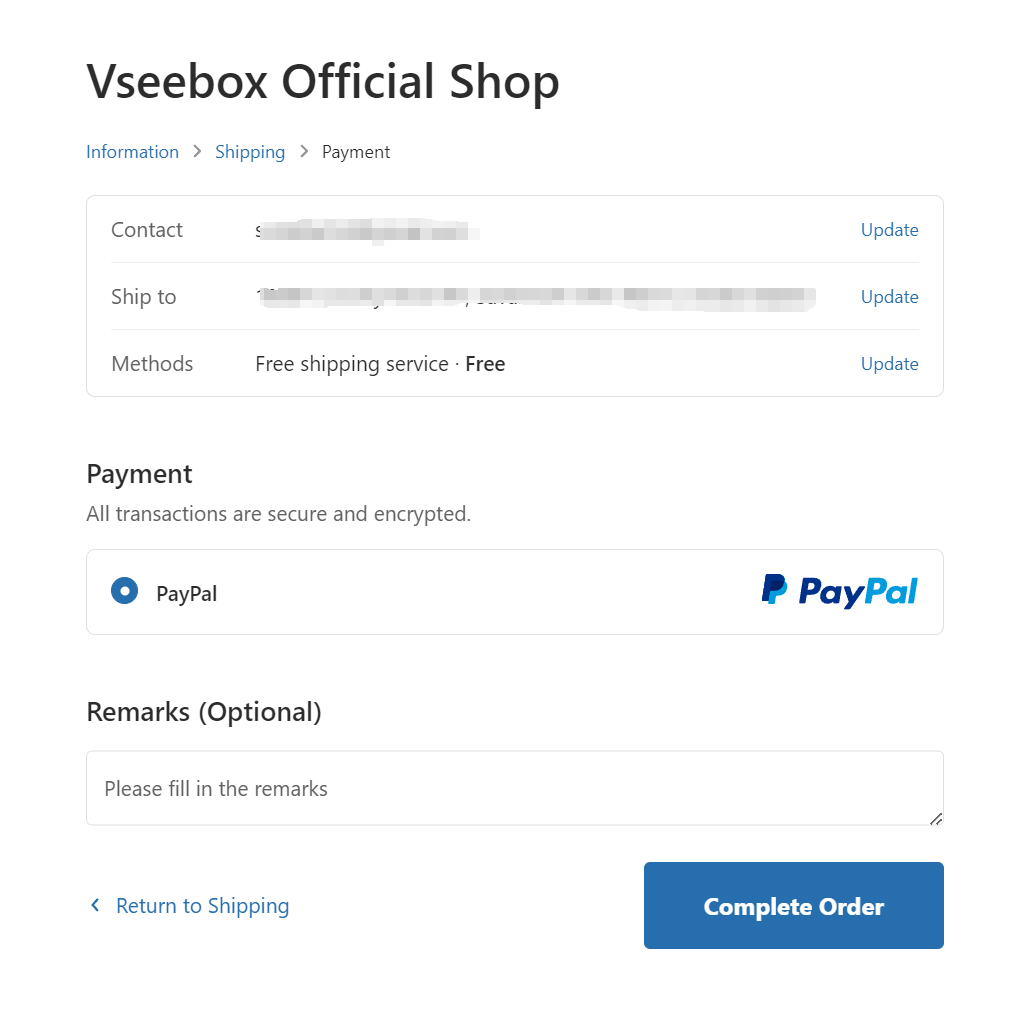
We accept payments through paypal. Full payment must be made before shipment. With PayPal, users can choose to pay or transfer money. PayPal is a secure and convenient way to send and receive money online. When you select checkout PayPal as your payment method, you will be linked to the PayPal website where you can make a payment. For more information, please visit the website.
- After viewing your items on your shopping cart page, you can click and check out with PayPal. Then you will leave our site and enter PayPal’s website.
- You can sign in to your PayPal account, or you can create a new one if you haven’t got one.
- You can use the PayPal as you want according to the on-screen instructions.
- The reasons why we suggest you use PayPal:
- Payment is traceable. By using your PayPal account, you can trace the status of your payment.
- When you make payment for your order, you don’t need to use your credit card online (you can transfer directly from your bank account). When you use your credit card through PayPal, nobody will see your credit card number, which will minimize the risk of unauthorized use
Attention:
If you want to change your billing address, please check the box "Use a different billing address".
If you have any questions, please feel free to contact us.
Email: support@vseeboxstore.shop
General Question
1.What is vSeeBox?
vSeeBox is one of the best-selling Android TV boxes fully loaded. It allows you to enjoy Live TV, Movies, and TV Shows (VOD) without subscriptions. You can watch over 2,500+ TV channels, 50,000+ VOD, PPV and sports events and more. To use our vSeeBox, just simply plug it into your TV, connect with Wi-Fi or Ethernet, and then you can Enjoy the Best Home Entertainment Experience Ever. It also provides 50+ channels 7-Day Playback feature so you don’t need to record by yourself.
The latest V3 Pro model features: Quad-core 64-bit CPU processor, 4GB Memory RAM, 64GB Internal Storage, Android 11 TV, New powerful chipset Amlogic 905Y4 enabling 10 bit HDR decoding up to 8K@60fps, 2R2R Dual Wi-Fi 6 up to 867mbps, LAN network up to 1000mbps.
vSeeBox V3 Pro uses H.265/HEVC decoding technology, which is a successor to H.264/AVC. Compared to H.264, H.265 image processing technology makes the data compression ratio doubled at the same level of video quality and saves 50% of network bandwidth resources, which makes you watch movies more smoothly with the same picture quality loaded and enjoy a high-quality experience with less buffering.
2.Is vseebox legal?
Yes, vSeeBox is legal in the US. There have been several contemplations regarding the legality of the android TV box since its launch because the features used in the TV box are mainly applicable for mobile phone devices.
However, the company has declared that no one will have to face any legal issues for using the vSeebox. But yes, if you are accessing digital channels without paying for the same, you will have to confront the legal department since streaming anything without having a subscription is a crime.
So, before you stream anything over the internet through the android TV box, make sure you have the subscription license so that there will be no problem in the future. Rest assured, you can get the product on our website buy it from our site as it’s completely legal.
3.Are any further charges/subscriptions required after purchasing vSeeBox?
However, for other apps like Netflix, Hulu or Disney+, you would need your account to use their service.
4. What are Heat Apps?
5. Where can I use the vSeeBox?
6. Any requirements for using vSeeBox?
7. Do I need a VPN to use vSeeBox?
8. Can I install my apps on vSeeBox?
For some 3rd party apps out of the Google Play Store, you can visit the Market on Home Page. We have added some common 3rd party apps in the Market for easy downloading and installation.
9. What internet speed do I need for using vSeeBox?
For some 3rd party apps out of the Google Play Store, you can visit the Market on Home Page. We have added some common 3rd party apps in the Market for easy downloading and installation.
10. What channels are you providing?
https://www.vseebox.shop/pages/vseebox-channel-list
11. What type of TF card can be used and the maximum storage?
Purchase (V3 Pro, V3 Plus)
1. Where can I purchase the vSeeBox?
2. Is there any product warranty?
3. Can I get a refund if not satisfied?
VSeeBox Setup And Installation
1. How to setup my vSeeBox V3 Plus?
2.Network Troubleshooting for vSeeBox V3 Pro
3. How to install my apps on vSeeBox?
For some 3rd party apps out of the Google Play Store, you can visit the Market on Home Page. We have added some common 3rd party apps in the vSee Market for easy downloading and installation.
4. How to uninstall apps on vSeeBox?
5. How to update my vSeeBox?
6. [V3 Pro] How to pair the Bluetooth Remote?
To pair the Bluetooth remote, hold both [OK] and [VOL-] buttons until the red light flashes on the remote indicator. Now new device "vSeeBox Remoter" will show there, and connect it.
7. How to reset my vSeeBox? Will factory reset erase my Heat Apps?
You can find that on: 3rd row home screen - system settings - device preference - reset - erase everything.
8.Heat Live and Heat VOD missing after setup
If network connected but Heat Apps still not showing on Home Screen, we recommend doing a factory reset if you are experiencing unusual glitching from setup. You can find that on: 3rd row home screen - system settings - device preference - reset - erase everything.
Heat Live And Playback
1. How to use the EPG TV Guide?
2. What can I do if the EPG is not accurate?
Please check your vSeeBox to see if the Time, Date and Timezone are set correctly. You can visit Home Screen, Settings, Device Preferences, Date & time. If it still shows the incorrect time, please turn off the "Automatic date & time" function, and turn it on again. Then it would update to the correct one.
3. How to add channels to favorite list?
4. How to use the Search function?
How to Fully Utilize the Heat Live app on vSeeBox
5. How to remove the network speed displayed in the top right corner?
How to Fully Utilize the Heat Live app on vSeeBox
6. Can I request more channels?
For priority, we will add according to popularity, from Sports > National & Local > Canadian & Latino > 24/7.
7. Why are some channels showing “Channel Under Maintenance”?
It often happens with sports and PPV channels. If there are no live games at the time, those channels will be under maintenance preparing for upcoming events. Please check our EPG for game schedules, or you can check the schedule on relevant sports websites.
For regular channels, sometimes there are emergency checks/tests. Most of those channels will come back shortly. If you notice any of the channels that were down for a while and didn't come back, you can use the Feedback submission to notify us, and our developers' team will check and fix it soonest.
If you are informed that the backup TV has been repaired, please use the backup TV to watch the live broadcast first. Our technical team is still working hard to deploy the Heat Live system.
8. Can I pause the Live TV?
9.All Channels are Down for Maintenance, 346 error code on Right bottom side
Heat VOD And Heat VOD Ultra
1. What is the difference between Heat VOD and Heat VOD Ultra?
2. How to search for a movie/tv series I want to watch?
3. How can I set a movie or tv series to my favorite?
4. How can I check my favorite VOD list?
5. How can I change the picture quality?
6. How can I turn subtitles on/off?
7. How can I change the track language of a VOD?
8. A movie/tv shows I’m watching often buffers. Why?
We also provide the picture quality selection function. You can adjust according to your network environment. Press Menu button on your remote during the VOD streaming, in Quality, you can choose High / Normal / Low quality, high quality may up to 4K version.
Other Questions
1. Network issue – say remembered instead of connected
Network Troubleshooting for vSeeBox V3 Pro
2. Shut down / sleeping mode – which shall I choose?
The sleeping mode is for a short period of not using it. The tv box would not be turned off completely for a faster wake-up time.